August 21, 2026

 Written by Mariam
If you own an Enigma2 satellite receiver and are looking for a reliable OpenATV download, choosing the correct image is just as important as downloading the software itself.
OpenATV is available for a large range of Enigma2 receivers, including devices from manufacturers such as Zgemma, GigaBlue, Dreambox, VU+, Octagon, Amiko and others. The current OpenATV download system allows users to select an image version and then find builds for compatible receiver models.
However, there is an important rule:
Never install an OpenATV image simply because it has the same brand name as your receiver.
The image must match the exact receiver model and hardware platform.
This guide explains how to find the correct OpenATV image, prepare your receiver, install the software safely and troubleshoot common problems.
Important: Always back up your existing settings before flashing an Enigma2 image. Installing the wrong image can make the receiver unusable or require recovery.
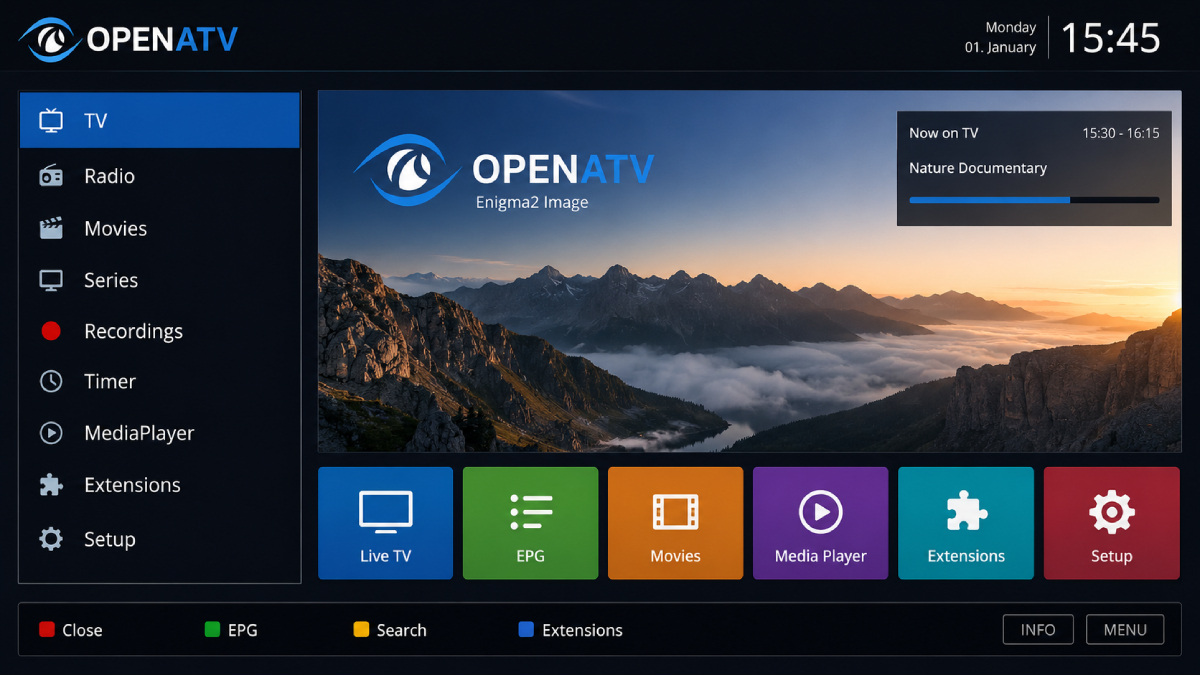
OpenATV is an Enigma2-based Linux image designed for compatible digital TV and satellite receivers.
It provides the software environment that runs on the receiver and adds features such as:
OpenATV is part of the broader Enigma2 ecosystem and supports a large number of receiver models.
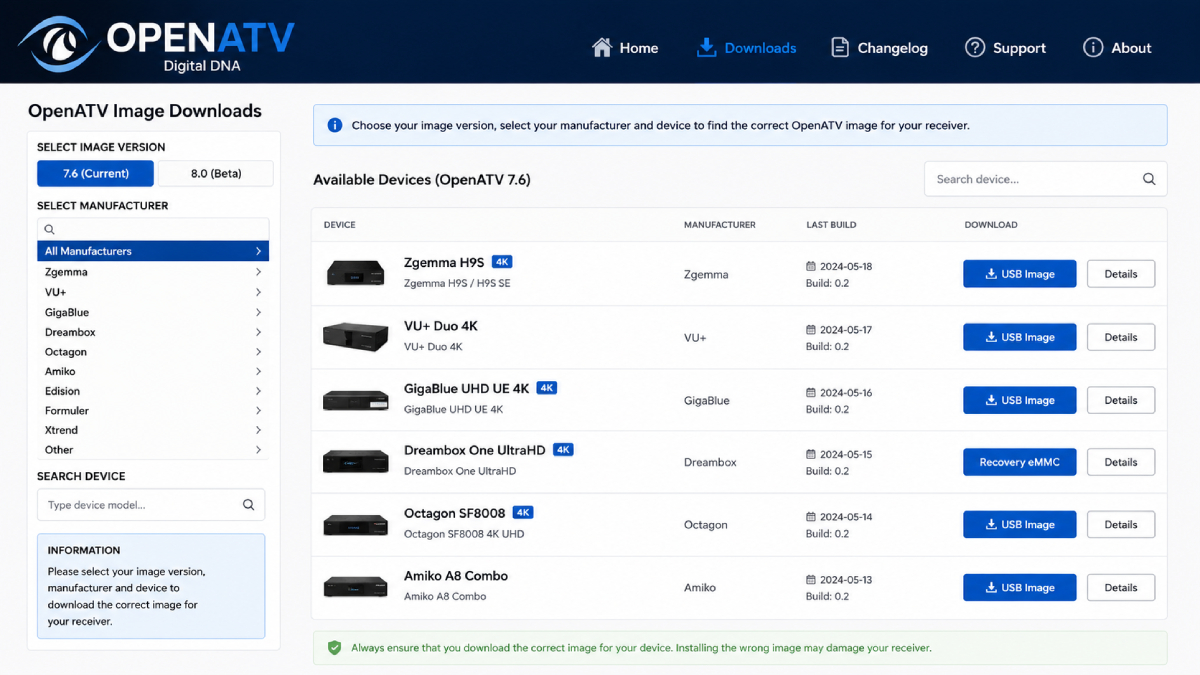
The current OpenATV download portal lists devices from many manufacturers and allows users to filter by image version and vendor.
One of the most important things to understand when searching for an OpenATV download is that different image versions can coexist.
The current download portal provides both 7.6 and 8.0 as selectable versions.
However, availability and release status can vary by receiver.
For example, current device-specific listings show OpenATV 7.6 builds for receivers such as the VU+ Duo and Octagon SF8008, while some OpenATV 8.0 listings are identified as beta builds for particular older Dreambox models.
Do not automatically choose the highest version number.
Instead, check:
Compatibility should always come before version number.
OpenATV supports a wide range of Enigma2 receivers.
The current download portal lists manufacturers including:
The current database contains individual receiver models rather than simply offering one universal image per manufacturer.
For example, the current listings include numerous Zgemma models, 16 Dreambox devices and more than 20 GigaBlue devices.
This is why searching for: OpenATV Zgemma is not enough. You should search for: OpenATV + exact Zgemma model before downloading anything.
Before downloading, identify the following information from your receiver:
| Information | Example |
|---|---|
| Manufacturer | Zgemma |
| Exact Model | H9S SE |
| CPU / Platform | Device-specific |
| Current Image | OpenATV / OpenPLi / Other |
| Image Version | 7.6 / 8.0 |
| Flash Method | USB / Recovery / eMMC / MultiBoot |
The download portal uses specific device identifiers for individual models.
Two receivers from the same manufacturer may use different:
Therefore, never flash an image intended for another model just because the receivers look similar.
The current OpenATV download system provides a centralized interface where users can select an image version and search for their receiver.
The page currently provides version filters including 7.6 and 8.0, along with manufacturer filters and a device search function.
For example, current listings can provide different packages such as:
depending on the receiver.
Do not assume that “USB” and “Recovery eMMC” are interchangeable.
Before flashing the image, prepare:
Confirm the image matches your exact receiver.
Some receivers use USB flashing, but the required procedure differs by model.
Save your:
Do not interrupt power while the receiver is being flashed.
A failed firmware installation can require a recovery procedure.
Always check the instructions for your exact model before beginning.
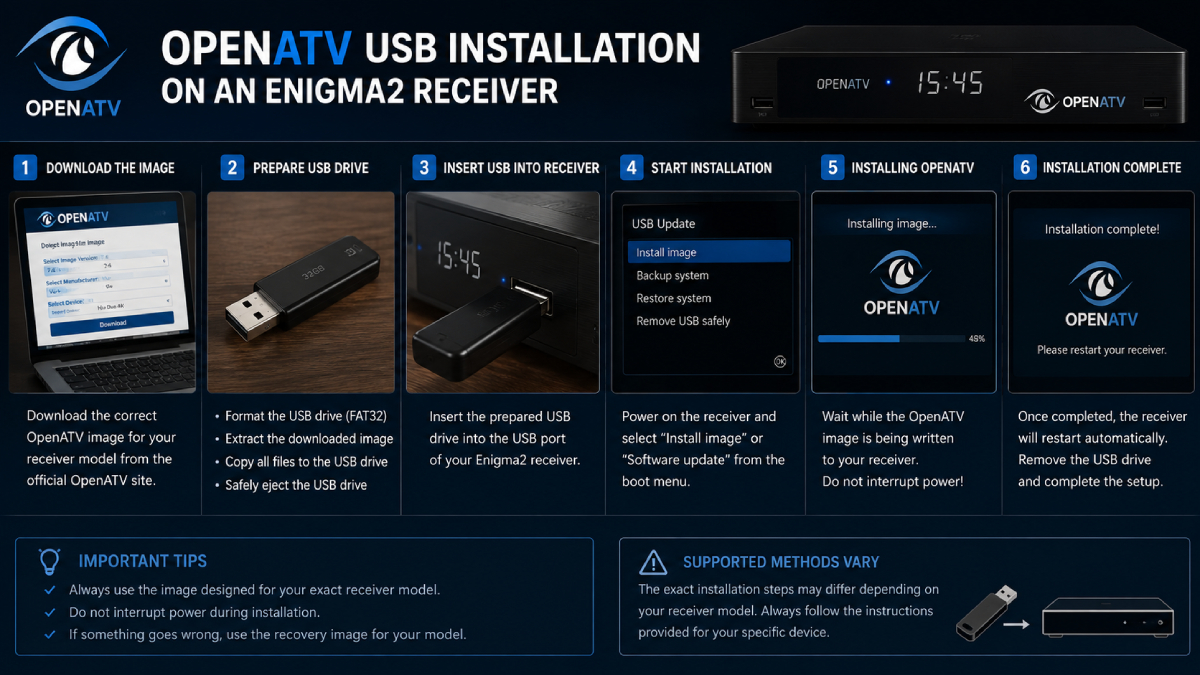
The installation process varies by receiver, but the general workflow is similar.
Write down the complete model name.
For example:
Manufacturer: VU+
Model: VU+ Duo 4K
or:
Manufacturer: Zgemma
Model: H9S
Do not proceed until the model is confirmed.
Use the OpenATV download portal and select the image corresponding to your receiver.
The official OpenATV software environment also integrates the OpenATV image feed into its Flash Manager, which retrieves device-specific images from the OpenATV image server.
If your receiver uses USB flashing:
The exact directory structure can vary between receiver models.
Do not change the filenames or folder structure unless the device-specific instructions tell you to do so.
Insert the prepared USB drive into the receiver.
Depending on the receiver, you may need to:
The exact process is hardware-specific.
Do not:
Wait until the receiver indicates that the process has completed.
After OpenATV starts for the first time, configure:
Once the receiver is online, you can continue with plugins and other software required for your particular setup.
OpenATV is particularly relevant to advanced Enigma2 users who use software such as OSCam in supported and authorized environments.
If you’re researching OSCam on OpenATV, make sure your OSCam build matches:
For a broader explanation of OSCam, iCAM, Enigma2 compatibility and configuration concepts, see our OSCam iCAM Enigma2 Guide.
Try:
Do not immediately flash another image.
First check:
Check:
A software installation does not automatically guarantee correct satellite configuration.
The correct answer depends on your receiver.
The current download system offers multiple OpenATV versions, but not every version is necessarily available or appropriate for every device. Some current OpenATV 8.0 device listings are beta builds, while OpenATV 7.6 is available across many current receiver listings.
Always prioritize device compatibility over the newest version number.
Before clicking the download button, verify:
If all eight items are confirmed, you’re in a much safer position to proceed.
OpenATV is a Linux-based Enigma2 image used on compatible digital TV and satellite receivers.
The current OpenATV download portal provides 7.6 and 8.0 as selectable versions. Availability and release status depend on the receiver; some 8.0 device builds are currently listed as beta.
Use the current OpenATV download portal and select your exact receiver model before downloading an image.
OpenATV supports numerous Zgemma models, but the image must match the exact model. The current download portal lists many Zgemma devices.
OpenATV images are available for various VU+ receivers. Always check the exact model before downloading. Current listings include VU+ devices such as the VU+ Duo and VU+ Uno 4K SE.
Many Enigma2 receivers support USB-based image installation, but the exact procedure and file structure vary by model.
No. OpenATV versions are device-specific. A version available for one receiver may not be available or appropriate for another.
Yes. A backup is strongly recommended because flashing an image can replace existing system settings, plugins and configurations.
OpenATV is used with OSCam in supported Enigma2 environments. Compatibility depends on the receiver, architecture, OpenATV version and OSCam build.
OpenATV remains one of the most important Enigma2 images for users looking for a flexible receiver software environment.
The key to a successful installation is not simply finding the newest OpenATV file. It is choosing the correct image for the exact receiver model.
The current OpenATV download system makes this easier by allowing users to select image versions, manufacturers and individual receiver models.
For many supported receivers, OpenATV 7.6 currently has broad availability, while OpenATV 8.0 availability and release status vary by hardware.
If you’re using OpenATV as part of a more advanced Enigma2 setup, make sure every additional component is compatible with both your receiver and your installed image.
For OSCam users, continue with our OSCam iCAM on Enigma2 guide to learn more about receiver compatibility, OpenATV/OpenPLi environments, DVBAPI and troubleshooting.

Helping you stay connected with the best IPTV experience. FullPackage IPTV offers premium live TV, sports, movies, and international channels in HD & 4K. Enjoy seamless streaming anytime, anywhere!
© Fullpackage is Proudly Owned by fullpackage.co.uk