FU LL PA CK AG E
Search Your Query

All Cart

Cart

  • Home
  • TiviMate IPTV Player Review & Complete Guide (2026) – Setup, M3U & Xtream Codes

TiviMate IPTV Player Review & Complete Guide (2026) – Setup, M3U & Xtream Codes

  • Mariam Written by Mariam
  • June 30, 2026
  • 9 minutes

TiviMate IPTV Player Review & Complete Guide

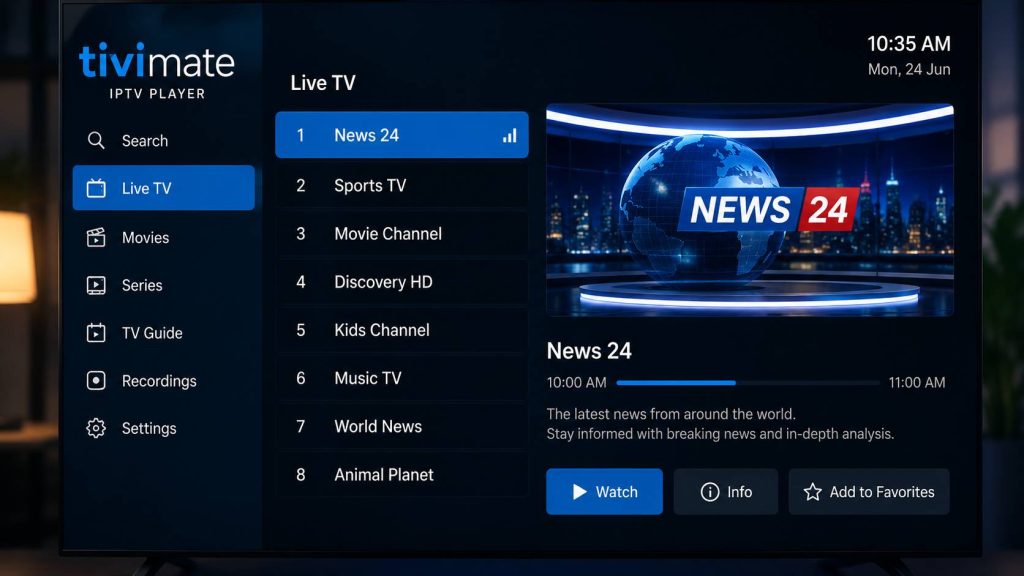
If you are looking for one of the most powerful IPTV players available today, TiviMate IPTV Player is a name you will see recommended by thousands of IPTV users worldwide. Designed specifically for Android TV and Fire TV devices, TiviMate combines a clean interface, advanced IPTV management tools, and excellent playback performance into one professional application.

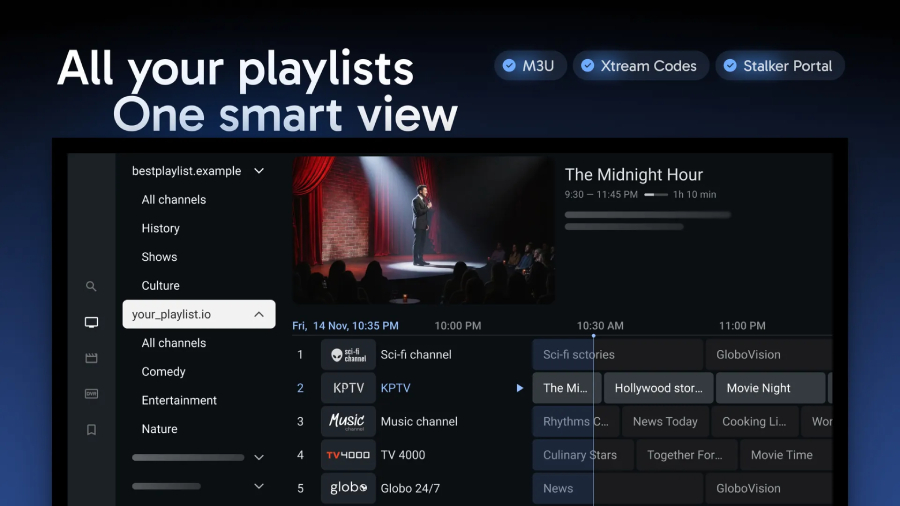
Unlike many IPTV applications that simply display channels, TiviMate focuses on delivering a complete television experience. With support for M3U playlists, Xtream Codes, Electronic Program Guide (EPG), favorites management, multiple playlists, and premium customization options, it has become one of the most popular IPTV players among home entertainment enthusiasts.

Whether you are completely new to IPTV or an experienced user searching for the best IPTV player for Android TV, this complete guide explains everything you need to know about TiviMate, from installation and setup to advanced features and frequently asked questions.


What Is TiviMate IPTV Player?

TiviMate IPTV Player is an IPTV media player designed primarily for Android TV devices, Google TV, Fire TV, and Android-based streaming boxes.

It is important to understand that TiviMate does not provide TV channels or streaming content. Instead, it works as a powerful player that allows users to connect an IPTV subscription supplied by an IPTV service provider.

Once your IPTV account is connected through an M3U playlist or Xtream Codes API, TiviMate organizes your channels into an elegant television interface that resembles premium cable and satellite services.

This approach provides a far better viewing experience than many traditional IPTV players.


Why Is TiviMate So Popular?

Several factors have contributed to TiviMate’s popularity.

Unlike generic IPTV players that often feel cluttered and outdated, TiviMate was designed specifically for televisions. Navigation using a remote control feels natural, channel switching is fast, and menus remain clean even when thousands of channels are loaded.

Users also appreciate its premium features, including playlist management, favorites, recording capabilities (where supported), and customizable channel groups.

For many IPTV users, these features transform IPTV from a simple streaming solution into a complete entertainment platform.


Main Features of TiviMate IPTV Player

Elegant TV Interface

The first thing most users notice is the professional interface.

Large menus, smooth animations, clear channel logos, and intelligent navigation make watching television enjoyable instead of frustrating.


M3U Playlist Support

Most IPTV providers deliver subscriptions through M3U playlists.

TiviMate allows users to import these playlists quickly, automatically organizing channels into logical categories such as:

  • Sports
  • Movies
  • Entertainment
  • Kids
  • News
  • International Channels

This eliminates the need to manually arrange channels.


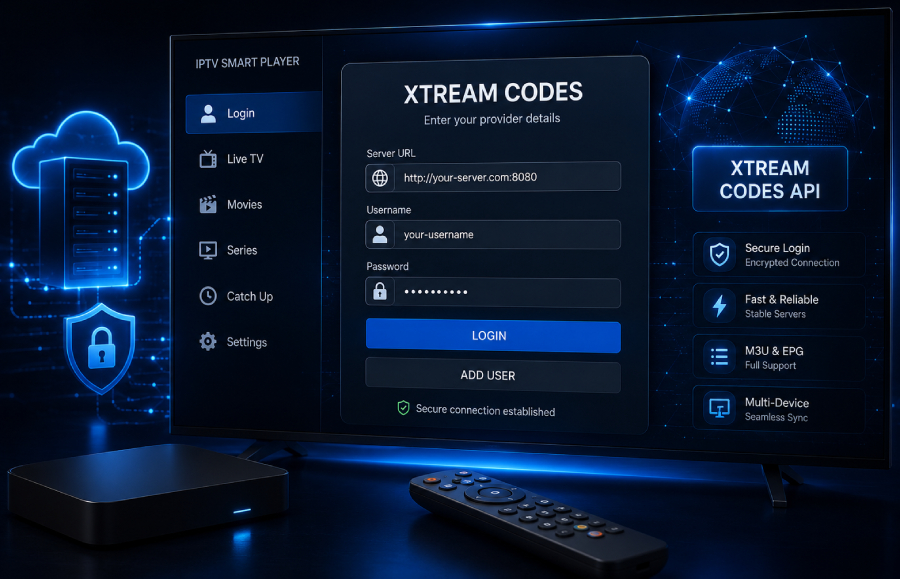
Xtream Codes API Login

Many premium IPTV providers now offer Xtream Codes credentials instead of long M3U URLs.

TiviMate supports:

  • Username
  • Password
  • Server URL

This login method is faster, easier to manage, and often updates content automatically without requiring users to replace playlist links.


Electronic Program Guide (EPG)

A high-quality IPTV experience is incomplete without an accurate TV guide.

TiviMate supports Electronic Program Guide (EPG), allowing users to view:

  • Current programs
  • Upcoming broadcasts
  • Daily schedules
  • Program descriptions

This feature makes IPTV feel much closer to traditional television services.


Multiple Playlist Management

Many IPTV enthusiasts use more than one IPTV subscription.

Instead of switching between applications, TiviMate allows multiple playlists to coexist inside one interface.

Users can easily organize playlists by provider, country, or content type.


Favorites & Custom Groups

Finding favorite channels becomes effortless.

Users can create custom favorites lists for:

  • Sports
  • Movies
  • Family
  • Kids
  • News

This saves time and improves navigation.


Premium Customization

TiviMate offers extensive customization options.

Users can personalize:

  • Channel appearance
  • TV Guide layout
  • Playback settings
  • Group organization
  • Interface colors
  • Menu behavior

This flexibility is one of the reasons experienced IPTV users often choose TiviMate over competing applications.


HD & 4K Streaming Support

TiviMate supports high-quality IPTV playback including:

  • HD
  • Full HD
  • 4K Ultra HD

Streaming quality depends on your IPTV provider and internet connection.

When combined with a reliable IPTV service, TiviMate delivers an excellent viewing experience with smooth playback and fast channel switching.


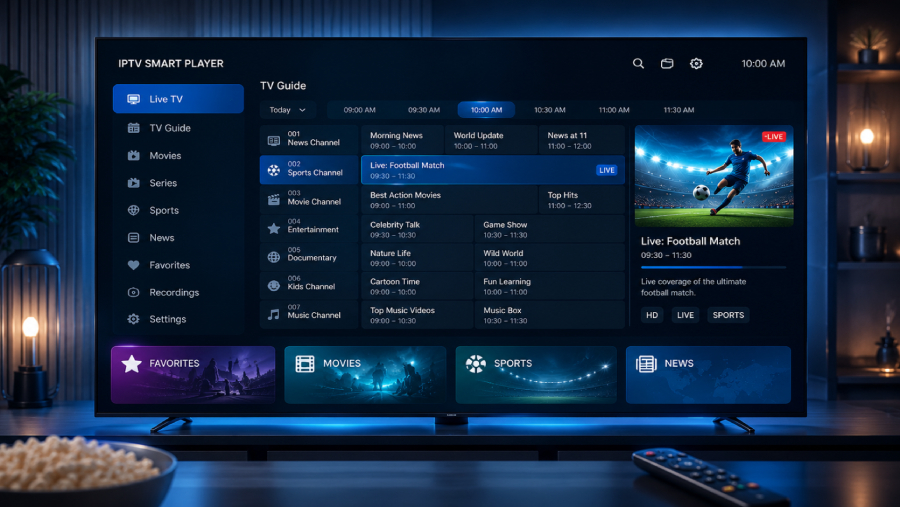
📷 Image Placement

TiviMate TV Guide (EPG) Interface


Supported Devices

One of TiviMate’s strengths is its compatibility with popular streaming devices.

Supported platforms include:

  • Android TV
  • Google TV
  • Amazon Fire TV
  • Amazon Fire Stick
  • NVIDIA Shield TV
  • Chromecast with Google TV
  • Android TV Boxes

Because TiviMate is optimized for television devices, users enjoy a significantly better experience than on standard smartphone IPTV players.


Download TiviMate IPTV Player

Before setting up your IPTV subscription, install the latest version of TiviMate from the official source.

Official Website

https://tivimate.com/

Android TV

Install directly using the appropriate Android TV installation method.

Amazon Firestick

Use the Downloader application to install TiviMate on Fire TV devices.

Downloader Code

(Add Downloader Code Here)


Why We Recommend TiviMate

After testing multiple IPTV applications across different Android TV devices, TiviMate consistently stands out for its stability, interface design, and ease of use.

Its support for M3U playlists, Xtream Codes, and EPG creates a polished viewing experience that closely resembles premium television platforms.

For users who want an IPTV player that is reliable, modern, and easy to navigate, TiviMate remains one of the strongest options currently available.


Looking for a Reliable IPTV Subscription?

TiviMate performs best when paired with a stable IPTV provider offering high-quality streams, updated playlists, and responsive servers.

Explore our IPTV subscription plans

/iptv-pricing-plans/

How to Install TiviMate IPTV Player on Firestick

Amazon Firestick is one of the most popular streaming devices for IPTV users, and TiviMate works exceptionally well on it. Although TiviMate is not available directly through the Amazon Appstore, it can be installed quickly using the Downloader app.
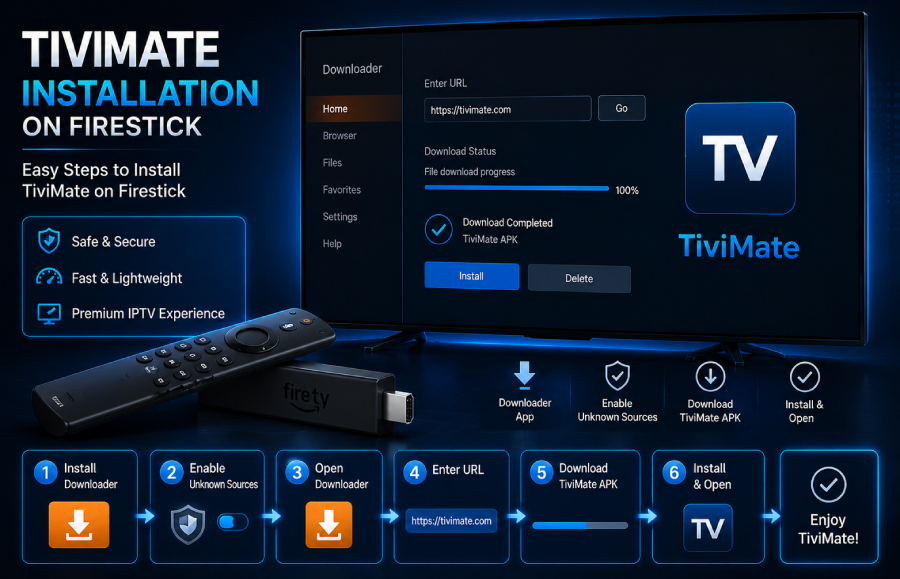
📷 Image Placement

TiviMate Installation on Firestick

Step 1: Install Downloader App

Open the Amazon Appstore on your Firestick and search for Downloader. Install the application and launch it.

Step 2: Enable Unknown Sources

Before installing third-party applications:

  • Open Settings
  • Go to My Fire TV
  • Select Developer Options
  • Enable Install Unknown Apps
  • Allow Downloader to install applications

Step 3: Download TiviMate

Open Downloader and enter either:

  • The official APK download link
  • Your Downloader Code

Downloader Code

(Add Downloader Code Here)

Once downloaded, select Install and wait for the process to complete.

Step 4: Launch the Application

After installation:

  • Open TiviMate
  • Accept the permissions
  • Start adding your IPTV playlist

Installation normally takes less than five minutes.


How to Install TiviMate on Android TV

Installing TiviMate on Android TV is even easier.
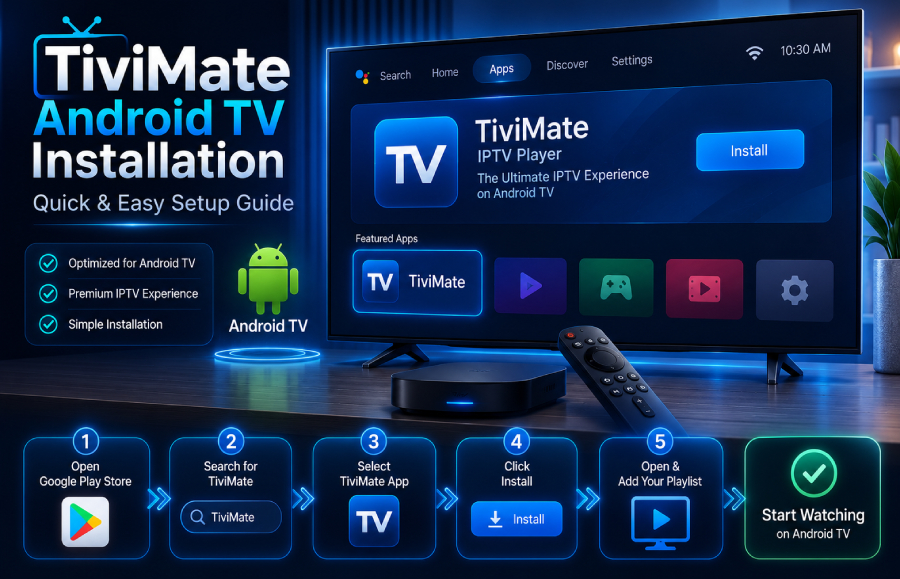
📷 Image Placement

TiviMate Android TV Installation

Installation Steps

  1. Download the latest APK (if required).
  2. Enable installation from unknown sources.
  3. Open the APK.
  4. Complete installation.
  5. Launch TiviMate.

The application is optimized for Android TV and offers one of the smoothest IPTV experiences available.


How to Add an M3U Playlist in TiviMate

Most IPTV providers supply subscriptions using an M3U playlist URL.

Adding an M3U playlist is simple and usually takes less than a minute.
📷 Image Placement

TiviMate Add Playlist Screen

Step-by-Step Guide

  1. Open TiviMate.
  2. Select Add Playlist.
  3. Choose M3U Playlist.
  4. Enter your playlist URL.
  5. Click Next.
  6. Wait while the application imports channels.

Once completed, your IPTV channels will automatically appear inside organized categories.

Benefits of Using M3U Playlists

  • Easy setup
  • Supports thousands of channels
  • Compatible with most IPTV providers
  • Quick updates

How to Add Xtream Codes in TiviMate

Many premium IPTV services now recommend Xtream Codes because it offers a cleaner and more stable setup.
📷 Image Placement

Xtream Codes Login Screen

Instead of entering long playlist URLs, users simply provide:

  • Username
  • Password
  • Server URL

Setup Instructions

  1. Open TiviMate.
  2. Select Add Playlist.
  3. Choose Xtream Codes Login.
  4. Enter your IPTV credentials.
  5. Click Next.
  6. Wait while channels synchronize.

Within seconds, TiviMate will organize all channels, movies, TV series, and categories automatically.


M3U vs Xtream Codes

Both connection methods work well, but they serve different needs.

FeatureM3U PlaylistXtream Codes
Easy Setup⭐⭐⭐⭐⭐⭐⭐⭐⭐
Automatic Updates⭐⭐⭐⭐⭐⭐⭐⭐
Organization⭐⭐⭐⭐⭐⭐⭐⭐
IPTV CompatibilityExcellentExcellent
RecommendedGoodBest

For most users, Xtream Codes offers a more convenient experience because channel updates and content synchronization are handled automatically.


Best TiviMate Settings

To enjoy the best streaming quality, configure these settings after installation.

Playback Settings

  • Hardware Decoder: Enabled
  • Auto Frame Rate: Enabled (if supported)
  • Buffer Size: Medium
  • Auto Refresh Channels: Enabled

TV Guide Settings

  • Enable EPG Updates
  • Update Every 24 Hours
  • Refresh Automatically

Interface Settings

  • Dark Theme
  • Large Channel Logos
  • Group Channels by Category
  • Enable Recent Channels

These settings provide faster navigation and a cleaner viewing experience.


Tips for Better IPTV Performance

To get the most from TiviMate:

  • Use a high-speed internet connection.
  • Connect through Ethernet whenever possible.
  • Keep playlists updated.
  • Restart the application occasionally.
  • Avoid using outdated IPTV playlists.
  • Always use a reliable IPTV provider with stable servers.

Following these recommendations can significantly reduce buffering and improve overall playback quality.


Connect TiviMate with a Premium IPTV Subscription

TiviMate is only a media player. To unlock its full potential, you need a reliable IPTV subscription that provides stable streams, high-quality channels, and regularly updated playlists.

👉 Browse our IPTV subscription packages

/iptv-pricing-plans/

Choose the plan that best suits your entertainment needs and start enjoying live TV, sports, movies, and TV series with TiviMate.

TiviMate Premium vs Free: Which Version Should You Choose?

One of the most common questions new users ask is whether the free version of TiviMate is enough or if upgrading to TiviMate Premium is worth the investment.

The answer depends on how you use IPTV. If you only need a simple player for one playlist, the free version may be sufficient. However, users who watch IPTV daily or manage multiple playlists will benefit significantly from the Premium version.

FeatureFree VersionPremium Version
M3U Playlist Support
Xtream Codes Support
Electronic Program Guide (EPG)
Multiple Playlists
Favorites ManagementLimited
Recording Support*
Backup & Restore
Advanced CustomizationLimited
Picture-in-Picture (Supported Devices)

*Recording capabilities depend on the storage options and supported device.

For users who want a complete IPTV experience with greater flexibility, the Premium version offers clear advantages.


Advanced Features That Make TiviMate Stand Out

Beyond the basic IPTV functions, TiviMate includes several advanced features that improve everyday use.

Channel Groups

Organize channels into custom categories such as:

  • Sports
  • Movies
  • Kids
  • News
  • International
  • Favorites

This makes navigation faster and more convenient.


Playlist Management

Users with more than one IPTV subscription can switch between playlists without installing multiple applications.

This is particularly useful for households that use different IPTV providers.


Personalized Interface

TiviMate allows you to customize:

  • TV Guide appearance
  • Channel logos
  • Color themes
  • Playback preferences
  • Menu layout

These options create a viewing experience that feels similar to premium cable TV.


Performance Optimization

TiviMate is optimized for Android TV devices and offers:

  • Fast channel switching
  • Smooth menu navigation
  • Stable playback
  • Efficient memory usage

This makes it one of the most reliable IPTV players available.


Common TiviMate Problems and How to Fix Them

Even the best IPTV applications may occasionally experience issues. Most problems are related to the IPTV provider, internet connection, or playlist configuration rather than the application itself.

Channels Not Loading

Possible causes:

  • Expired IPTV subscription
  • Incorrect M3U URL
  • Incorrect Xtream Codes credentials

Solution:

  • Verify your IPTV account information.
  • Refresh the playlist.
  • Restart the application.

Buffering During Playback

Buffering is usually caused by:

  • Slow internet connection
  • Busy IPTV servers
  • Wi-Fi interference

Recommendations:

  • Use a wired Ethernet connection whenever possible.
  • Restart your router.
  • Choose a reliable IPTV provider.
  • Reduce network congestion.

EPG Not Updating

If the Electronic Program Guide is missing:

  • Refresh the EPG manually.
  • Check the EPG URL provided by your IPTV service.
  • Confirm that automatic updates are enabled.

Playlist Errors

If your playlist fails to load:

  • Check for typing errors.
  • Confirm that your subscription is still active.
  • Contact your IPTV provider if the issue persists.

Frequently Asked Questions

Is TiviMate free?

Yes. TiviMate offers a free version with core IPTV playback features. A Premium version is also available for users who want advanced functionality.


Does TiviMate provide TV channels?

No. TiviMate is an IPTV player only. You must connect it to your own IPTV service using an M3U playlist or Xtream Codes credentials.


Does TiviMate support Xtream Codes?

Yes. TiviMate supports Xtream Codes API login, making IPTV setup easier and more organized.


Can I use TiviMate on Firestick?

Yes. TiviMate works exceptionally well on Amazon Fire TV and Fire Stick devices.


Does TiviMate support Android TV?

Yes. TiviMate was originally designed for Android TV and remains one of the best IPTV players for that platform.


Can I add multiple IPTV subscriptions?

Yes. TiviMate Premium allows users to manage multiple playlists within one application.


Is TiviMate suitable for beginners?

Absolutely. The setup process is straightforward, and the interface is intuitive enough for both beginners and experienced IPTV users.


Does TiviMate support 4K streaming?

Yes. The application supports HD, Full HD, and 4K playback, depending on the quality of your IPTV service and internet connection.


What is the best way to connect IPTV?

Most users prefer Xtream Codes because it is easier to manage and updates automatically. M3U playlists remain a reliable option and are widely supported.


Which IPTV subscription works best with TiviMate?

For the best experience, choose an IPTV provider that offers stable servers, updated playlists, HD and 4K channels, and both M3U and Xtream Codes support.

👉 Explore our IPTV subscription plans:

/iptv-pricing-plans/


Final Verdict

TiviMate IPTV Player has earned its reputation as one of the leading IPTV players for Android TV and Fire TV devices. Its clean interface, excellent playlist management, Electronic Program Guide support, and compatibility with both M3U playlists and Xtream Codes make it a favorite among IPTV enthusiasts.

Whether you are setting up IPTV for the first time or looking for a feature-rich player with advanced customization, TiviMate delivers a premium viewing experience that is both reliable and easy to use.

When combined with a high-quality IPTV subscription, TiviMate becomes a complete entertainment solution for live TV, sports, movies, and on-demand content.

Leave a Reply

Your email address will not be published. Required fields are marked *