September 21, 2026

 Written by Mariam
A CCcam Server Test can help you determine whether a service is compatible with your satellite receiver before you commit to a longer subscription. But a successful connection alone does not tell you everything you need to know.
A proper test should consider compatibility, connection stability, satellite reception, network performance, service availability and the reliability of the provider.
This guide explains what to check during a CCcam server test and how to separate receiver problems from network or service-related issues.
A CCcam server test is generally a limited trial period used to evaluate whether a CCcam-related service works with a compatible receiver and setup.
Depending on the provider, a trial may be offered for a limited period such as several hours or a day. Some providers use these trials to demonstrate compatibility before offering a paid service.
However, a test should be treated as an evaluation period rather than a guarantee of long-term performance.
A service that works for a few hours may still experience availability or stability problems later.
There are several reasons to test a service first.
Different receivers and Enigma2 images can behave differently.
A test can help determine whether the service is compatible with your particular hardware and software environment.
A connection that works initially may not remain stable.
During a reasonable testing period, you can observe whether the service remains available or experiences repeated interruptions.
Your internet connection is another part of the overall system.
A problem that appears to be related to the server may actually be caused by:
A test can also help establish whether the channels or services you are legally authorized to access are available through the setup.
A useful test should cover several areas rather than focusing only on whether the receiver connects.
Start with your hardware.
Record the exact:
This information becomes particularly important when troubleshooting.
For example, a configuration that works on one Enigma2 receiver may not behave exactly the same way on another model.
Do not blame the server for a satellite reception problem.
If the receiver is showing poor signal quality, investigate the satellite installation first.
Check:
OpenATV’s official documentation provides useful technical information about satellite reception measurements such as signal lock, SNR/C/N, AGC and BER, which can help when diagnosing reception problems.
A known free-to-air service can also be useful as a basic reception check because it does not depend on a conditional-access service.
A stable internet connection is important when evaluating any online receiver service.
Before concluding that the server is unstable, check your own connection.
Look for:
If other online services are also experiencing problems at the same time, the issue may not be related to the CCcam service.
During the test, pay attention to whether the connection remains consistent.
Repeated interruptions can indicate several possible causes, including:
Do not judge a service based on one short successful connection.
The purpose of a test is to observe behavior over a reasonable period.
Channel availability should be evaluated against the service description and the content you are legally authorized to access.
A channel list can also change independently of a server.
Broadcasters may change:
This is why checking the satellite configuration is important before deciding that a missing service is caused by the server.
For reference, FullPackage maintains a Satellite Channel List covering satellite positions and channel information listed on the site.
Pay attention to how your receiver behaves during the test.
Watch for:
If the entire receiver becomes unstable, the cause may be a software or configuration conflict rather than the remote service itself.
Start with the basics.
Check:
Avoid changing several settings at once.
Make one change, test again and record the result.
First determine whether the instability occurs only with the tested service.
If other online services are also unstable, investigate your network.
If the problem occurs only with the tested service, the provider or service infrastructure may require further investigation.
Do not immediately assume that the server is responsible.
Check:
A missing channel can be caused by a satellite-side change rather than a server issue.
This is an important distinction.
No Signal generally points toward the reception layer.
Check the dish, LNB, cable, tuner and satellite configuration before investigating online services.
If the satellite signal is working normally but an authorized service remains unavailable, then the issue may be related to the service, configuration or access authorization.
The important point is to diagnose the correct layer instead of changing tuner settings unnecessarily.
There is no universal testing period.
A short test can confirm basic compatibility, but a longer observation period provides more information about stability.
Some providers advertise 24-hour trials, while others offer different testing periods. Current competitor pages in this market commonly use short trial periods as a way to demonstrate compatibility and service availability.
The important factor is not simply the number of hours.
What matters is whether the service remains consistent throughout the period you are evaluating it.
A free test and a paid subscription serve different purposes.
A free test is primarily useful for evaluation.
A paid service may offer:
However, a paid service should not automatically be considered reliable simply because it requires payment.
The same technical checks remain useful.
If you want to put these checks into practice, you can visit the Free CCcam & OSCam 24-Hour Trial page and use the trial period to evaluate compatibility, connection stability, and channel availability on your receiver.
Use the trial as a practical compatibility check rather than relying only on specifications or claims.
👉 Get Your Free CCcam & OSCam 24-Hour Trial
A useful test should answer several questions:
Does it work with my receiver?
Is my satellite setup functioning correctly?
Is my internet connection stable?
Does the service remain available during the test?
Are the advertised services available to me legally?
Does the receiver remain stable while using the service?
If you cannot answer these questions, the test has not provided enough information to evaluate the service properly.
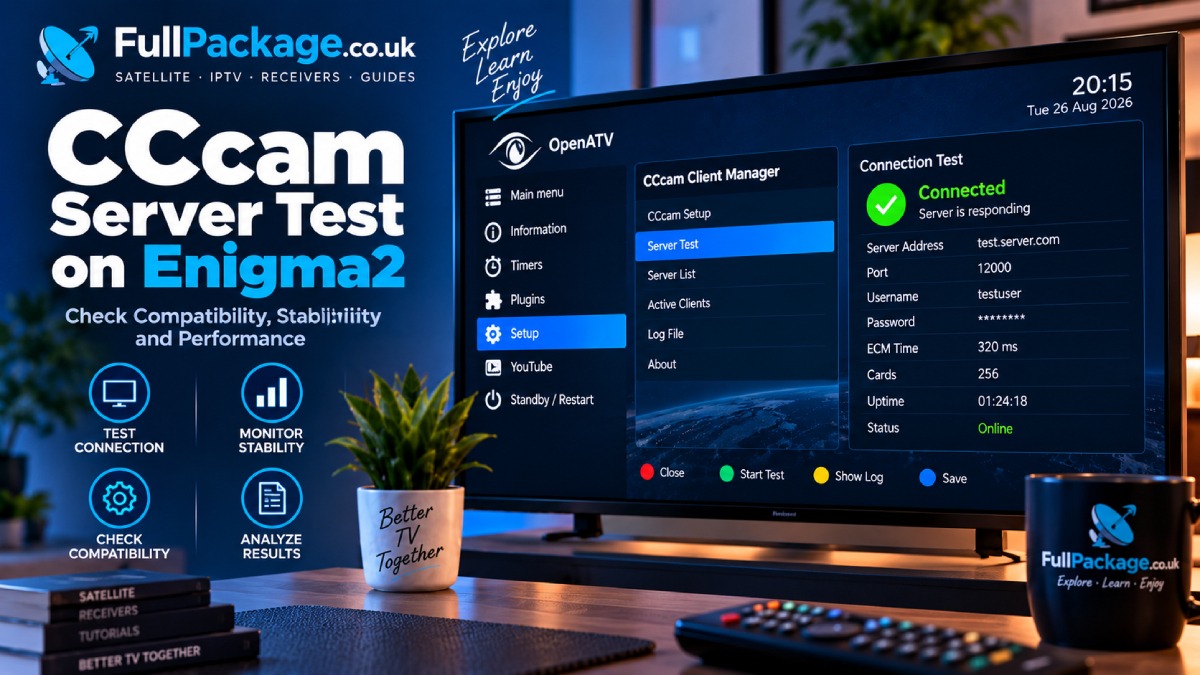
Enigma2 receivers require additional attention because there are many different images and hardware configurations.
Before testing, identify your:
For example, FullPackage covers Enigma2 images such as OpenATV, OpenPLi, OpenHDF, OpenViX, VTi and DreamOS.
This makes Enigma2 compatibility an important part of any CCcam-related testing strategy.
Use this checklist before reaching a conclusion:
Confirm the receiver model
Check the installed Enigma2 image
Verify satellite signal
Check tuner configuration
Confirm internet connectivity
Check DNS and network stability
Test only legally authorized services
Observe connection stability
Check receiver performance
Record recurring problems
Compare results over a reasonable testing period
This approach makes troubleshooting much more systematic.
It is a limited evaluation period used to determine whether a CCcam-related service is compatible with a receiver and setup before committing to a longer subscription.
You should evaluate more than initial connectivity. Check receiver compatibility, network stability, satellite reception, service availability and overall receiver performance.
Possible causes include network instability, receiver configuration, software conflicts or problems on the service side.
Compatibility depends on the receiver model, installed Enigma2 image and software environment.
Possible causes include satellite reception problems, outdated channel information, configuration issues or service availability.
Not necessarily. “No Signal” usually points toward the satellite reception or tuner layer, so check the dish, LNB, cable and tuner configuration first.
No. A short test can demonstrate compatibility and provide an indication of stability, but it cannot guarantee future availability.
A legitimate trial can be useful for evaluating compatibility and service terms before making a longer commitment.
A CCcam Server Test should be treated as a structured evaluation rather than simply checking whether a connection works.
Start with your receiver and satellite setup, verify your network, observe the service over a reasonable period, and document recurring problems.
Most importantly, separate satellite reception problems from network and service problems. This simple distinction can save a great deal of unnecessary troubleshooting.
If you are researching satellite services, the FullPackage Satellite Channel List can help you understand the satellite positions and channel information covered by the site.
For users with Enigma2 receivers, combining this information with the appropriate receiver and image guides provides a more complete approach to satellite system troubleshooting.

Helping you stay connected with the best IPTV experience. FullPackage IPTV offers premium live TV, sports, movies, and international channels in HD & 4K. Enjoy seamless streaming anytime, anywhere!
© Fullpackage is Proudly Owned by fullpackage.co.uk