September 21, 2026

 Written by Mariam
CCcam Enigma2 is a topic frequently searched by satellite receiver users who want to understand how CCcam-related software fits into the Enigma2 environment.
Enigma2 is used across a wide range of satellite receivers, including popular platforms such as VU+ and Dreambox. However, compatibility is not determined by the receiver name alone. The installed Enigma2 image, receiver hardware, tuner configuration and software environment can all affect how a system behaves.
This guide explains the relationship between CCcam and Enigma2, what to check before making changes, and how to diagnose common problems without relying on guesswork.
CCcam is software historically associated with satellite card-sharing environments.
On an Enigma2 receiver, CCcam-related functionality operates within the receiver’s software environment rather than being part of the satellite tuner itself.
This distinction is important when troubleshooting.
The tuner is responsible for receiving the satellite signal, while softcam-related software operates at a different layer of the receiver system.
As a result, problems such as No Signal are not automatically CCcam problems.
Enigma2 is a Linux-based software platform used by many dedicated satellite receivers.
Different manufacturers and communities provide Enigma2 images with different interfaces, plugins and system tools.
For additional information about the Enigma2 environment, the OpenPLi Wiki provides documentation and technical resources related to Enigma2 receivers and their software environment.
FullPackage already covers several Enigma2 environments, including:
Although the menus can differ between images, many fundamental concepts remain similar.
No.
Compatibility depends on the complete software and hardware environment.
Before installing or changing any CCcam-related component, check:
A configuration designed for one receiver should not automatically be assumed to work on another.
This is particularly important when comparing different generations of satellite receivers.
VU+ is one of the well-known brands associated with Enigma2 satellite receivers.
VU+ is one of the well-known brands associated with Enigma2 satellite receivers. The official VU+ documentation provides information about receiver models and technical specifications, which can help users verify hardware compatibility before making software changes.
This matters because a receiver can have perfectly working network connectivity while still having a satellite reception problem.
Always separate:
Satellite reception
from:
Network and software configuration
when diagnosing an issue.
Dreambox receivers have also been widely used with Enigma2-based software environments.
However, Dreambox compatibility should always be checked against the exact hardware and installed image rather than assuming that a configuration designed for another Enigma2 receiver will behave identically.
The same principle applies to other Enigma2 receivers.
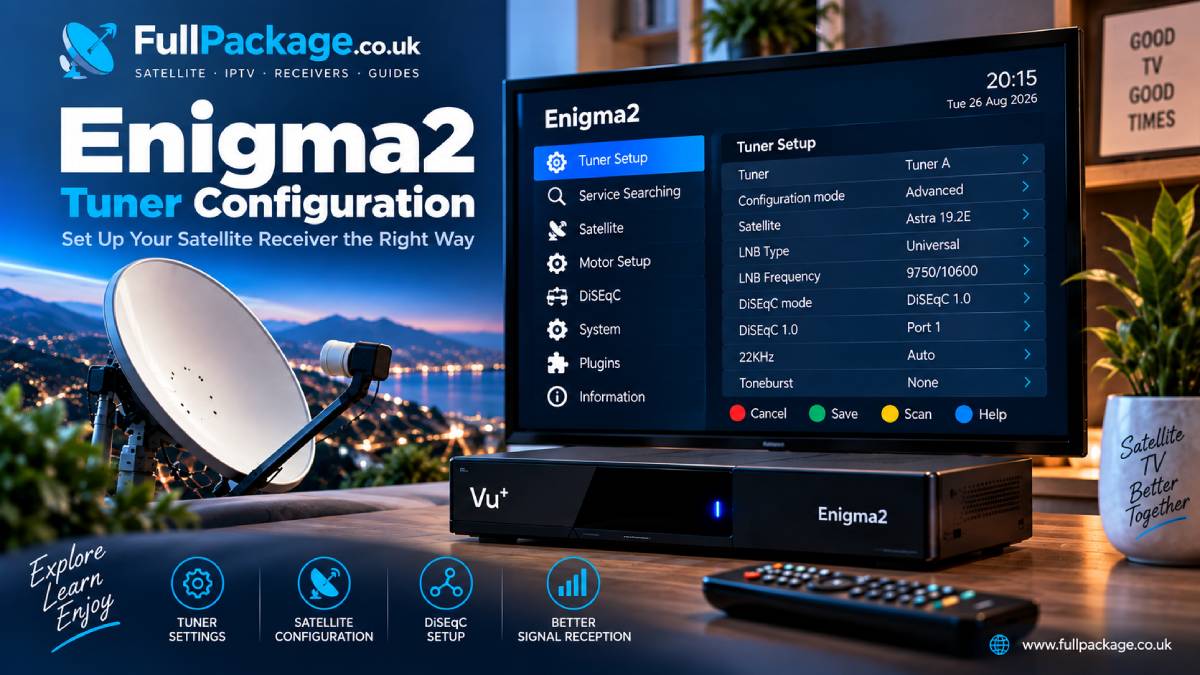
Before making any software changes, make sure you know:
Write down the exact model rather than simply saying “Enigma2 receiver.”
Different models can use different architectures and software packages.
Check whether the receiver is running OpenATV, OpenPLi, OpenHDF, OpenViX, VTi, DreamOS or another image.
The image determines the available menus and software environment.
Confirm that the receiver is configured for the satellite installation you actually use.
For example, a single-LNB setup is different from a multi-satellite DiSEqC installation.
If a software component requires network connectivity, verify that the receiver has a stable connection before troubleshooting more complicated issues.
A network problem can look like a software problem if the basic connectivity is not checked first.
Before attempting any configuration, use this checklist:
Keeping these steps separate makes troubleshooting much easier.
If the receiver displays No Signal, start with the satellite side.
Check:
Installing or restarting CCcam does not fix a physically incorrect satellite configuration.
If the receiver cannot communicate with an authorized service, check the network before changing software.
Verify:
Testing the receiver’s basic network connection can eliminate several possible causes immediately.
A receiver that freezes may have several possible causes.
For example:
Avoid changing several settings at the same time.
Make one change, test the result, and document what happened.
Missing channels are often related to satellite configuration or outdated service information.
Check:
For users researching available satellite services, FullPackage’s Satellite Channel List provides a useful reference point for the satellite positions and services covered on the site.
If a receiver stops behaving correctly immediately after an image or software update, check whether the relevant component is compatible with the new environment.
A software update can change:
This is one reason keeping a backup before major changes is useful.
CCcam and OSCam are often discussed together in Enigma2 communities, but they are not identical software projects.
OSCam is a more configurable softcam environment with a broader range of configuration options and protocols.
CCcam is commonly associated with the older CCcam ecosystem.
Which software environment is appropriate depends on the receiver, image, legitimate use case and required functionality.
Users should avoid installing multiple competing components without understanding how they interact, as software conflicts can create additional troubleshooting problems.
A stable Enigma2 setup starts with the basics.
Do not install an image simply because it is popular.
Always confirm that it is intended for the exact receiver model.
Before changing an image, plugins or important configuration files, create a backup whenever your receiver supports it.
Every additional plugin increases the complexity of the system.
Install only software you actually need.
If your receiver depends on online services, network stability is part of the overall system.
Use bouquets and a clean channel database to make everyday navigation easier.
A free trial has a different purpose from a technical Enigma2 guide.
If you are evaluating a service, a trial can help you determine whether the service is compatible with your equipment before considering a paid subscription.
FullPackage currently has a dedicated Free CCcam & OSCam 24-Hour Trial page.
The trial should be evaluated according to the actual terms presented by the provider, and users should only access satellite content they are legally authorized to receive.
👉 Get Your Free CCcam & OSCam 24-Hour Trial
CCcam Enigma2 generally refers to using CCcam-related software within an Enigma2 satellite receiver environment.
No. Compatibility depends on the receiver model, installed image, architecture and available software environment.
No. Satellite reception is handled by the receiver’s tuner and satellite configuration. CCcam-related software operates at a different software layer.
Compatibility depends on the specific VU+ model and installed software environment. Always verify compatibility before installing additional software.
Possible causes include dish alignment, LNB problems, tuner settings, DiSEqC configuration or poor signal quality.
No. They are different software environments, although they are frequently discussed together in Enigma2 and satellite communities.
It is better to make one controlled change at a time. This makes it easier to identify what actually solved or caused the problem.
Understanding CCcam Enigma2 requires looking at the complete receiver environment rather than focusing on one software component.
Receiver hardware, Enigma2 image, tuner configuration, satellite reception and network connectivity all play different roles.
If you are troubleshooting an Enigma2 receiver, start with the basics: identify the hardware, verify the image, check the tuner and satellite configuration, confirm network connectivity, and only then investigate software-specific problems.
For satellite information, you can also explore the FullPackage Satellite Channel List, while users evaluating an authorized service can use the site’s available trial options before making a subscription decision.

Helping you stay connected with the best IPTV experience. FullPackage IPTV offers premium live TV, sports, movies, and international channels in HD & 4K. Enjoy seamless streaming anytime, anywhere!
© Fullpackage is Proudly Owned by fullpackage.co.uk